
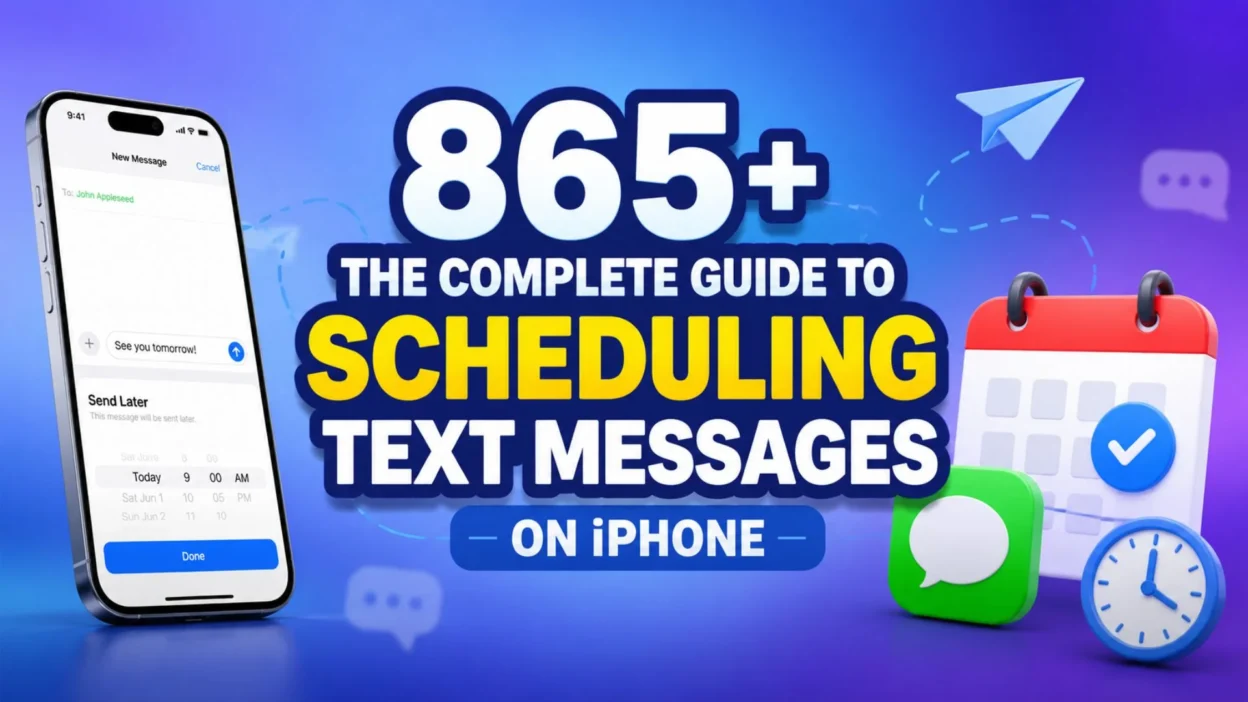
Learning how to schedule a text message on iPhone has become one of the most valuable skills for anyone juggling a busy life. Whether you are a working professional, a busy parent, or someone who simply wants to stay connected without the stress of remembering every important moment, this feature is a total game changer. Apple finally answered our prayers with iOS 18, bringing a native scheduling tool that lets you plan messages days in advance. But even if you are using an older version, there are still brilliant ways to make this work for you.
The beauty of knowing how to schedule a text message on iPhone goes far beyond convenience. It is about showing up for the people you love, even when life gets chaotic. It is about sending birthday wishes at midnight, checking in on a friend who is struggling, or simply remembering to text your mom goodnight. This guide will walk you through every single method, from the built-in iOS 18 feature to clever workarounds that keep your relationships strong. Get ready to transform the way you communicate and never miss an important moment again.
Can You Schedule a Text Message on iPhone Without Third-Party Apps
Yes, absolutely. If you are running iOS 18 or newer, Apple has built a native scheduling feature right into the Messages app. You can schedule iMessages up to 14 days in advance, and the messages will send even if your iPhone is offline. The feature is called “Send Later,” and it is incredibly simple to use. Just open a conversation, tap the plus icon, select Send Later, choose your date and time, type your message, and hit send. Your scheduled message will appear with a dashed border until it is delivered.
The Heartfelt Magic of Scheduling Messages for Special Occasions
There is something truly beautiful about planning ahead for the people who matter most. When you learn how to schedule a text message on iPhone, you unlock the power to be present even when you cannot be physically there.
- A birthday wish sent at the stroke of midnight shows you truly care
- An anniversary message that arrives exactly when the day begins
- A good morning text that lands before they even wake up
- A heartfelt apology scheduled for when emotions have cooled down
- A congratulations message timed perfectly for their big announcement
- A thinking of you note that arrives on a gloomy Tuesday afternoon
- A holiday greeting that reaches them before the celebrations start
- A simple I love you text that brightens their entire day
- A reminder of an inside joke that makes them laugh out loud
- A message of encouragement before their important presentation
- A thank you note that arrives right after they helped you
- A get well soon wish that comes at the perfect moment
- A milestone celebration text that acknowledges their achievements
- A comforting word scheduled for when they need it most
- A surprise message that turns an ordinary day into something special
Never Forget a Birthday or Anniversary Again
We have all experienced that sinking feeling when we realize we forgot someone’s special day. Mastering how to schedule a text message on iPhone means you will never have to feel that guilt again.
- Schedule birthday wishes weeks in advance to guarantee perfect timing
- Set anniversary messages to arrive right as the day begins
- Plan Mother’s Day texts so you never disappoint your mom
- Send Father’s Day greetings even if you are traveling abroad
- Schedule Valentine’s Day messages to show love from the heart
- Remember graduation days with congratulatory texts scheduled early
- Mark wedding anniversaries for all your couple friends
- Celebrate promotions with perfectly timed messages of pride
- Acknowledge new job offers with enthusiastic congratulations
- Remember the anniversary of losing someone with a kind word
- Schedule New Year wishes that arrive exactly at midnight
- Plan Thanksgiving greetings before the holiday rush begins
- Send Halloween messages that land on the spooky day itself
- Mark the first day of school with encouraging words for kids
- Celebrate retirement with messages that honor their career
Strengthening Long-Distance Relationships Through Scheduled Texts
Distance should never weaken the bonds we share with loved ones. When you know how to schedule a text message on iPhone, you can bridge any gap and keep your connections strong.
- Send good morning texts that arrive when they wake up in their time zone
- Schedule goodnight messages that reach them before they go to sleep
- Plan weekly check-ins to maintain consistent communication
- Send surprise love letters that appear out of nowhere
- Schedule reminders of shared memories to keep the spark alive
- Plan video call reminders so you never miss a scheduled chat
- Send encouragement for their big moments even from miles away
- Schedule weather updates to help them prepare for their day
- Plan date night reminders to keep your virtual dates consistent
- Send photos with captions scheduled for their lunch break
- Schedule motivational quotes to lift their spirits
- Plan funny memes to make them laugh across the distance
- Send voice messages scheduled for when they need to hear you
- Schedule countdowns to your next visit together
- Plan thoughtful questions to keep conversations meaningful
Perfecting Professional Communication With Scheduled Messages
In the workplace, timing is everything. Knowing how to schedule a text message on iPhone can elevate your professional relationships and make you look incredibly organized.
- Schedule follow-up messages to clients after important meetings
- Send reminders to colleagues about upcoming deadlines
- Plan congratulatory texts for team members who achieve goals
- Schedule check-ins with remote employees to maintain connection
- Send appreciation messages to team members who go above and beyond
- Plan meeting reminders that arrive exactly when needed
- Schedule project updates to keep stakeholders informed
- Send thank you notes to clients after successful collaborations
- Plan birthday wishes to colleagues to build team morale
- Schedule announcements that need to go out at specific times
- Send motivational messages to boost team spirit on Mondays
- Plan reminders for submitting reports before deadlines
- Schedule networking follow-ups to build professional relationships
- Send congratulations for work anniversaries and milestones
- Plan feedback requests that arrive at the right moment
Supporting Friends Through Difficult Times With Careful Timing
Sometimes the most powerful thing you can do is be there for someone at the exact moment they need you. Learning how to schedule a text message on iPhone lets you offer support even when you cannot be physically present.
- Schedule encouraging words for a friend going through a tough breakup
- Send comforting messages to someone grieving a loss
- Plan check-ins for friends battling illness or health challenges
- Schedule reminders that you are thinking of them during hard times
- Send motivational texts before their difficult medical appointments
- Plan messages of hope during their darkest moments
- Schedule words of affirmation to boost their self-esteem
- Send gentle reminders that they are not alone in their struggles
- Plan thoughtful questions to help them open up about their feelings
- Schedule offers of help that arrive when they need it most
- Send memories of happier times to lift their spirits
- Plan messages of gratitude for their friendship and support
- Schedule reminders to celebrate small victories together
- Send virtual hugs that arrive at just the right moment
- Plan words of wisdom to guide them through uncertainty
Celebrating Life’s Little Victories With Timely Texts
Every achievement deserves recognition, no matter how small. When you know how to schedule a text message on iPhone, you can celebrate every victory with perfect timing.
- Send congratulations for completing a challenging project
- Schedule praise for someone who reached a personal goal
- Plan messages of pride for a child’s school achievement
- Send encouragement for someone learning a new skill
- Schedule recognition for overcoming a difficult obstacle
- Plan celebration texts for finishing a marathon or race
- Send cheers for landing a dream job or promotion
- Schedule appreciation for someone who helped you succeed
- Plan messages of joy for buying a new home or car
- Send congratulations for a creative project coming to life
- Schedule praise for someone who spoke up for themselves
- Plan recognition for making a difficult decision
- Send encouragement for taking a brave step forward
- Schedule celebration for hitting a savings or financial goal
- Plan messages of pride for personal growth and transformation
Nurturing Family Bonds Through Thoughtful Scheduling
Family connections deserve our time and attention. Mastering how to schedule a text message on iPhone helps you stay connected with everyone you love.
- Schedule weekly check-ins with aging parents to show you care
- Send encouraging texts to kids before their big exams
- Plan family dinner reminders to keep everyone accountable
- Schedule birthday wishes for every family member without fail
- Send congratulations for family achievements big and small
- Plan reminders of important family events and gatherings
- Schedule appreciation messages for everything they do for you
- Send funny family memories to brighten their day
- Plan questions to keep conversations meaningful and deep
- Schedule updates about your life to keep them in the loop
- Send photos of family moments with perfect captions
- Plan holiday greetings that arrive right on time
- Schedule encouragement for family members chasing their dreams
- Send reminders of how much they mean to you
- Plan messages that strengthen your family bonds every single day
Keeping Romantic Relationships Alive With Scheduled Surprises
Love thrives on thoughtful gestures and perfect timing. Learning how to schedule a text message on iPhone can make your partner feel cherished every single day.
- Schedule surprise love notes that appear out of nowhere
- Send romantic quotes that capture your feelings perfectly
- Plan date night reminders to keep the romance alive
- Schedule appreciation messages for everything they do
- Send good morning texts that start their day with a smile
- Plan goodnight messages that end their day with love
- Schedule reminders of your favorite memories together
- Send playful flirty texts to keep the spark burning bright
- Plan encouragement for their personal goals and dreams
- Schedule thank you messages for the little things they do
- Send surprise compliments that boost their confidence
- Plan messages of gratitude for their patience and understanding
- Schedule words of affirmation that affirm your commitment
- Send inside jokes that only the two of you understand
- Plan romantic countdowns to your next special occasion
Staying Connected With Teenagers in a Digital World
Parenting teenagers requires creativity and patience. Knowing how to schedule a text message on iPhone can help you stay connected without being overbearing.
- Schedule gentle reminders about curfews and responsibilities
- Send encouraging words before their big tests and exams
- Plan check-in messages that don’t feel like nagging
- Schedule appreciation for their efforts and achievements
- Send funny memes to connect through shared humor
- Plan reminders about family dinners and quality time
- Schedule congratulations for their milestones and successes
- Send messages of support when they face challenges
- Plan thoughtful questions about their interests and friends
- Schedule reminders about upcoming deadlines and commitments
- Send words of pride that boost their self-esteem
- Plan encouragement for their extracurricular activities
- Schedule offers of help without being pushy
- Send reminders of your unconditional love and support
- Plan messages that bridge the generation gap with understanding
Managing Mental Health With Scheduled Self-Care Reminders
Taking care of yourself is just as important as taking care of others. Learning how to schedule a text message on iPhone can support your own mental health journey.
- Schedule daily affirmations to start your morning with positivity
- Send yourself reminders to practice mindfulness and breathe
- Plan gentle check-ins to assess your emotional well-being
- Schedule encouragement for days when you feel overwhelmed
- Send motivational quotes that lift your spirits
- Plan reminders to take breaks and rest when needed
- Schedule gratitude lists to shift your focus to the positive
- Send yourself permission to pause and recharge
- Plan reminders to reach out to friends when you feel isolated
- Schedule words of kindness to yourself during tough times
- Send encouragement to keep going when you want to give up
- Plan reminders to celebrate your own accomplishments
- Schedule messages of hope during moments of doubt
- Send gentle nudges to practice self-compassion
- Plan reminders that you are enough, just as you are
Building Better Habits Through Consistent Communication
Consistency is key to building strong relationships and habits. When you know how to schedule a text message on iPhone, you can create routines that stick.
- Schedule daily check-ins to maintain important connections
- Plan weekly gratitude messages to cultivate appreciation
- Send monthly updates to keep long-distance friends informed
- Schedule quarterly catch-ups with old friends and colleagues
- Plan yearly birthday wishes that never get forgotten
- Schedule reminders for recurring events and commitments
- Send consistent encouragement for someone’s ongoing journey
- Plan regular appreciation for team members and colleagues
- Schedule periodic check-ins for older family members
- Send routine updates about your life to keep people close
- Plan consistent messages of love for your partner
- Schedule regular words of affirmation for yourself
- Send frequent reminders of your goals and aspirations
- Plan steady communication that builds trust over time
- Schedule reliable messages that people can count on
Overcoming Forgetfulness With Smart Scheduling Solutions
We all forget things sometimes, but that does not mean we have to let people down. Mastering how to schedule a text message on iPhone is your safety net against forgetfulness.
- Schedule important messages immediately so you never forget
- Plan reminders for upcoming events and appointments
- Send yourself alerts about deadlines and commitments
- Schedule backups for critical communications
- Plan messages for people you might otherwise forget
- Send reminders to follow up on promises you made
- Schedule notes to yourself about important tasks
- Plan messages that arrive before you would remember
- Send yourself encouragement to stay on track
- Schedule check-ins to ensure you do not miss anything
- Plan communication that keeps you accountable
- Send reminders of your own priorities and values
- Schedule messages that help you stay organized
- Plan texts that prevent last-minute panic
- Send yourself gentle nudges to stay focused
Embracing Technology to Deepen Human Connection
Technology should serve our relationships, not replace them. Learning how to schedule a text message on iPhone helps you use your device to strengthen human bonds.
- Use scheduling to be more present in your daily interactions
- Plan messages that show you truly listen and care
- Send thoughtful words that reflect deep understanding
- Schedule communication that honors your commitments
- Plan messages that build bridges in difficult relationships
- Send words that heal old wounds and mend fences
- Schedule appreciation that acknowledges others’ value
- Plan encouragement that empowers people to be their best
- Send love that transcends physical distance and time
- Schedule kindness that spreads through your community
- Plan connection that makes people feel seen and heard
- Send warmth that brightens even the darkest days
- Schedule support that helps people through their struggles
- Plan celebration that honors every person’s unique journey
- Send hope that reminds everyone of the goodness in the world
Practical Tips for Using the Native iOS 18 Send Later Feature
The built-in scheduling tool in iOS 18 is remarkably straightforward and reliable. Apple designed it to work seamlessly with iMessage, and it delivers your messages even when your device is offline.
To get started, open the Messages app and navigate to any conversation. Tap the plus icon next to the text field, then select “Send Later” from the menu. A date and time picker will appear, allowing you to choose exactly when you want your message to be sent. You can schedule up to 14 days in advance, which gives you plenty of flexibility for birthdays, anniversaries, and important reminders. Once you set the time, type your message and tap the send arrow. Your scheduled text will appear with a dashed border, and it will automatically be delivered at the designated time. If you need to make changes, simply tap and hold the scheduled message to edit, reschedule, or delete it. This feature is encrypted and secure, so your private conversations remain protected.
Alternative Methods for Older iOS Versions and SMS
If you are using an iPhone with iOS 17 or earlier, or if you need to schedule SMS messages to Android users, there are still excellent workarounds available. The Shortcuts app, which comes preinstalled on every iPhone, offers a powerful automation tool for scheduling texts. Open the Shortcuts app, tap the Automation tab, and create a new personal automation. Choose “Time of Day” as your trigger, set your preferred date and time, and then select the “Send Message” action. Enter your message text and recipient, and your automation will handle the rest. This method works for both iMessage and standard SMS, making it perfect for communicating with Android users. For an even simpler approach, you can use the Reminders app to create a reminder with your message text. When the reminder pops up, you can manually copy and paste the message into Messages. While not fully automatic, this method is reliable and requires no additional apps.
Frequently Asked Questions About How To Schedule a Text Message On Iphone
Can I schedule a text message on iPhone without iOS 18?
Yes, you can use the Shortcuts app to create automations that send messages at specific times. This method works on iOS 13 and newer, and it supports both iMessage and SMS. You can also use the Reminders app to set manual reminders for sending texts.
Will the recipient know that I scheduled the message?
No, the recipient will have no idea that your message was scheduled. It appears as a normal text message sent at the designated time, with no indication that it was planned in advance.
Can I schedule a text message to someone who uses an Android phone?
Yes, but only through workarounds like the Shortcuts app. The native iOS 18 Send Later feature works exclusively with iMessage, which means both you and the recipient need Apple devices. For Android users, use Shortcuts automations to send SMS messages.
How far in advance can I schedule a text message?
With the iOS 18 native feature, you can schedule messages up to 14 days in advance. If you need to schedule further ahead, you can use the Shortcuts app to create recurring automations that repeat daily, weekly, monthly, or even yearly.
What happens if my iPhone is turned off at the scheduled time?
Your message will still be delivered. Scheduled iMessages are stored on Apple servers and sent even if your device is offline or powered off. This ensures your important messages always reach their destination.
Can I edit or cancel a scheduled message after I set it?
Absolutely. You can tap and hold the scheduled message bubble to edit the content, reschedule the delivery time, or delete it entirely. You can make these changes anytime before the scheduled delivery time.
Is there a character limit for scheduled messages?
Yes, the iOS 18 Send Later feature has a character limit of 250 characters per message. If you need to send longer messages, consider using the Shortcuts app or third-party scheduling apps.
Do scheduled messages work with group chats?
Yes, you can schedule messages in group iMessage conversations using the iOS 18 Send Later feature. Simply open the group chat, follow the same steps, and your message will be delivered to all participants at the scheduled time.
Conclusion
Learning how to schedule a text message on iPhone is one of the most practical and meaningful skills you can develop in our fast-paced world. Whether you are using the beautiful new iOS 18 Send Later feature, creating clever automations with Shortcuts, or setting simple reminders, you now have the power to be there for the people you love at exactly the right moment. This is not just about convenience; it is about showing up, remembering what matters, and strengthening the relationships that make life rich and beautiful. So go ahead, start scheduling those texts, and watch how your connections deepen when you never miss an important moment again. Your loved ones will feel your thoughtfulness, and you will feel the peace of mind that comes from knowing you have it all covered.

Ava Mitchell is a skilled content writer who specializes in creating heartfelt wishes and meaningful messages for every occasion. She has a strong ability to turn emotions into simple yet powerful words that connect with readers.
With experience in digital content and storytelling, Ava focuses on delivering authentic and engaging messages that help people express their feelings effortlessly. Through her work at DailyWishez, she aims to make every message more personal, warm, and memorable.