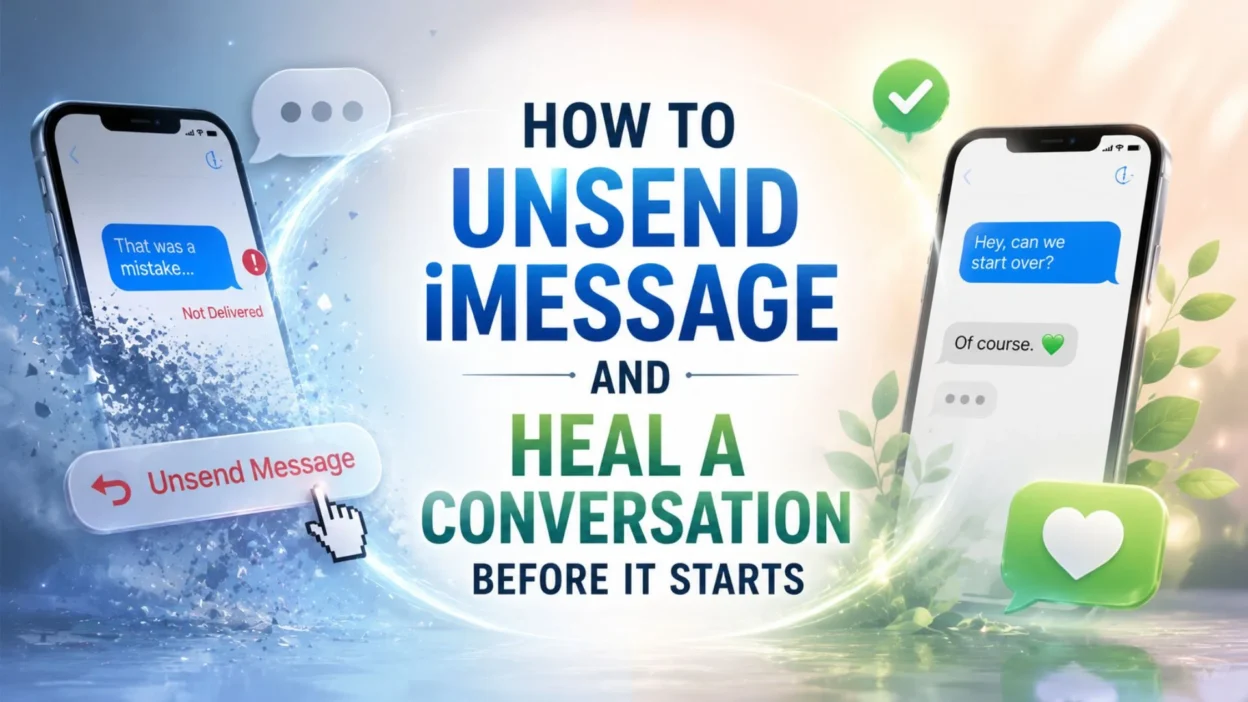
We have all experienced that heart-sinking moment when we send an iMessage and instantly wish we could take it back. Perhaps it was a typo that changed the entire meaning, an emotional message sent in anger, or a private thought accidentally shared with the wrong person. Learning how to unsend iMessage is not just about technology, it is about reclaiming your peace of mind in a world where our words travel at lightning speed. Apple finally gave us this lifesaving feature with iOS 16, and it has transformed the way we communicate through blue bubbles. The ability to recall a message within a short window offers a second chance, a do-over that we never had before in the digital messaging world.
This feature is not just a technical trick but an emotional safety net for millions of iPhone users worldwide. Whether you are navigating sensitive conversations with loved ones, managing professional relationships, or simply trying to avoid the embarrassment of a mis-sent text, understanding how to unsend iMessage can be a true game changer. In this comprehensive guide, we will walk you through every aspect of this powerful tool, from the step-by-step process to the emotional freedom it brings. Get ready to discover how a simple two-minute window can save you from hours of regret and misunderstanding.
Can You Unsend an iMessage After You Have Already Sent It
Yes, you can unsend an iMessage after you have already sent it, but there are important conditions. You must act within two minutes of sending the message, and both you and the recipient need to be using iOS 16, iPadOS 16.1, macOS Ventura, or later versions. When you successfully unsend a message, it disappears from both your device and the recipient’s device, and a notification appears confirming that you unsent a message. However, if the recipient is using an older operating system, they may still see the original message despite your attempt to recall it.
The Beautiful Relief of Erasing a Sentimental Mistake
There is something profoundly comforting about knowing you can take back words that were never meant to be sent. The emotional weight of an accidental message can linger for days, but this feature lifts that burden instantly.
- The moment you realize you sent a message to the wrong person, your heart stops for a second
- That two-minute window feels like a gift from the universe when panic sets in
- Watching a regrettable message vanish from the chat brings an overwhelming sense of peace
- You can breathe again knowing your private thoughts remain yours alone
- The relief of unsending a message is almost as good as never sending it at all
- Every second counts when you are racing against the clock to undo a mistake
- This feature teaches us that even in digital communication, we deserve second chances
- The ability to retract words gives us back our power in vulnerable moments
- Knowing you can unsend makes you braver in expressing your true feelings
- Some messages are better left unsent, and now you have the power to make that happen
- The emotional freedom of this tool cannot be overstated in our connected world
- You can protect your relationships from the damage of a thoughtless text
- This feature is a reminder that technology can actually support our emotional wellbeing
- The relief is palpable when you see that dreaded message disappear forever
- Every unsent message is a small victory for your peace of mind
The Quiet Dignity of Correcting a Typo Before Anyone Notices
We have all sent messages with embarrassing typos that made us cringe the moment we hit send. The edit feature gives you a graceful way to fix those mistakes without drawing unnecessary attention.
- A simple typo can change the entire meaning of your message and cause confusion
- You can fix that embarrassing autocorrect disaster before anyone even reads it
- Editing a message feels like getting a second chance at saying exactly what you meant
- The fifteen-minute edit window is generous enough for most correction needs
- You can clean up your message without the awkwardness of sending a follow-up text
- Everyone appreciates a well-written message that clearly communicates the intended meaning
- The edit history shows your growth in refining your thoughts and words
- You no longer have to live with the shame of a misspelled word in a important conversation
- This feature encourages us to communicate more thoughtfully and deliberately
- A corrected message shows attention to detail and respect for the recipient
- You can adjust your tone or clarify your point without starting a new thread
- The ability to edit gives you confidence in your written communication
- Small corrections can prevent big misunderstandings in sensitive conversations
- You can polish your words until they perfectly reflect your intentions
- This tool honors the importance of clear and accurate expression
The Profound Gift of Taking Back Words Spoken in Anger
We have all said things we did not mean in the heat of the moment, and digital messages can be even more damaging than spoken words. The unsend feature offers a path to reconciliation before the damage is done.
- Anger often makes us type things we would never say in a calm moment
- The two-minute window gives you time to cool down and reconsider your words
- You can prevent lasting damage to relationships with a simple unsend action
- Taking back angry words is one of the most powerful uses of this feature
- Your future self will thank you for exercising restraint in difficult conversations
- This tool helps you maintain your dignity even when emotions run high
- You can choose kindness over cruelty with the help of this safety net
- The unsend feature is a relationship saver in moments of heated exchange
- You have the power to stop hurtful words from reaching their target
- Emotional intelligence is supported by this simple but profound capability
- You can apologize before anyone even sees the offending message
- This feature reminds us that we are not defined by our worst moments
- The ability to retract gives you space to respond rather than react
- Your relationships are worth more than the satisfaction of a cutting remark
- Every unsent angry message is a step toward healthier communication
The Sweet Serenity of Protecting Your Privacy
In an age where digital privacy is increasingly precious, the ability to unsend iMessage gives you control over your personal information. You can keep your private thoughts exactly where they belong.
- Your personal stories and secrets deserve protection from unintended eyes
- You can recall a message sent to the wrong person before they read it
- Privacy breaches are stressful, but this feature offers a quick escape
- You have the right to control who sees your words and when
- The unsend function is a shield for your most vulnerable confessions
- You can share sensitive information with more confidence knowing you can retract
- Your digital footprint should reflect your true intentions and boundaries
- This tool empowers you to be selective about what you share and with whom
- Protecting your privacy has never been easier than with this simple action
- You can prevent screenshots of embarrassing messages before they happen
- The peace of mind from this feature is truly invaluable
- Your words are your own, and you deserve the power to take them back
- This capability respects your autonomy in digital communication
- You can maintain boundaries even in the fast-paced world of texting
- Privacy is not just about security, it is about peace of mind
The Gentle Art of Editing Without Embarrassment
Editing an iMessage is not about hiding your mistakes but about presenting your best self in every conversation. It is a gentle way to refine your communication without drawing attention to your errors.
- You can quietly improve your message without anyone knowing you made a change
- The edit feature allows you to perfect your words without starting over
- A well-edited message shows that you care about clear communication
- You can add missing details without cluttering the conversation with extra texts
- Editing feels like polishing a gem until it shines with clarity
- Your recipient receives a better version of your thoughts without the rough edges
- This feature encourages thoughtful and deliberate communication habits
- You can correct factual errors before they cause confusion or misunderstanding
- The ability to edit gives you room to refine your message over time
- You can adjust your wording to better match the tone of the conversation
- Editing is a sign of respect for both yourself and the person you are messaging
- You can turn a messy draft into a clear and compelling statement
- This tool helps you communicate with greater precision and impact
- The edit history is a testament to your commitment to getting it right
- You can take pride in every message you send, knowing you can perfect it
The Unexpected Joy of a Do-Over in Digital Conversations
Life rarely gives us second chances, but Apple has given us one in our digital conversations. This feature brings unexpected joy to those moments when we wish we could start over.
- A do-over in messaging is like a reset button for your conversations
- You can approach a sensitive topic again with better wording and timing
- The joy of a second chance is not just for games, it is for real life too
- You can rebuild a conversation that started on the wrong foot
- This feature gives you the freedom to experiment with your words safely
- Every unsent message is an opportunity to communicate more effectively
- You can learn from your mistakes without the consequences of a bad message
- The ability to start over is a gift that keeps on giving
- You can approach difficult conversations with less fear and more courage
- A do-over allows you to be more authentic in your communication
- You can express yourself without the pressure of getting it perfect the first time
- This feature encourages growth and learning in every conversation
- The joy of redemption is available with just a long press and a tap
- You can turn a potential disaster into a meaningful exchange
- Every conversation becomes an opportunity for improvement and connection
The Deep Comfort of Knowing You Are Not Alone in Your Mistakes
Every iPhone user has experienced the panic of sending the wrong message. Knowing that this feature exists for everyone creates a sense of shared humanity in our digital mistakes.
- We are all human and we all make mistakes in our digital communications
- The unsend feature is a universal acknowledgment that errors happen to everyone
- You can take comfort in knowing that millions of people use this tool daily
- Your embarrassing moment is not unique, and that is strangely comforting
- This feature connects us through our shared experiences of messaging mishaps
- Everyone has sent a message they regretted, and now everyone has a way back
- The community of unsend users is larger than you might imagine
- Your mistakes do not define you, especially when you can unsend them
- We are all learning to communicate better in this digital age together
- The feature reminds us that perfection is not expected in human communication
- You can laugh at your mistakes knowing you have the power to fix them
- This tool fosters empathy and understanding among all iPhone users
- Your digital blunders are part of the shared human experience
- The comfort of this feature is knowing you are not alone in your panic
- Every unsent message is a small act of self-compassion
The Liberating Power of Imperfect Communication
Perfection is overrated, and the unsend feature liberates us from the pressure of getting everything right the first time. It allows us to communicate more freely and authentically.
- You can send messages more freely knowing you have a safety net
- Imperfect communication is natural, and this feature embraces that reality
- The pressure to be perfect in every text is lifted by this simple tool
- You can express yourself without fear of making a mistake
- Authentic communication often comes with rough edges and imperfections
- This feature encourages you to be brave in your conversations
- You can take risks with your words knowing you can always take them back
- The liberation of imperfection is a beautiful gift in our digital lives
- You can focus on connection rather than perfection in every message
- This tool supports genuine and heartfelt communication
- Your words do not have to be flawless to be meaningful
- The ability to edit and unsend frees you from self-censorship
- You can be more spontaneous and authentic in your interactions
- Perfect messages are less important than honest ones
- This feature celebrates the beauty of human imperfection
The Quiet Assurance of Protecting Professional Relationships
In the workplace, a mis-sent message can have serious consequences. The unsend feature provides a crucial buffer between professional success and embarrassing mistakes.
- Your professional reputation is protected by the ability to unsend messages
- You can correct errors in work-related communications before they cause harm
- This feature is essential for maintaining professionalism in digital interactions
- A misdirected message to a colleague or client can be quickly recalled
- You can prevent misunderstandings that could damage your career
- Professional relationships benefit from the clarity this tool provides
- You can double-check sensitive information before it reaches the wrong person
- The workplace is safer when you have the power to retract messages
- Your credibility is preserved by catching mistakes before they are seen
- This feature supports effective and professional communication habits
- You can maintain boundaries between personal and professional conversations
- The ability to unsend gives you confidence in workplace messaging
- Your career deserves the protection that this simple tool offers
- Professional communication requires precision, and this feature helps you achieve it
- You can handle difficult work conversations with greater ease and control
The Tender Care of Nurturing Personal Relationships
Our personal relationships are built on trust and understanding, and the unsend feature helps us nurture those connections. It allows us to be more thoughtful and considerate in our communication.
- Your relationships deserve the care that comes with thoughtful messaging
- You can avoid hurting loved ones with careless or impulsive words
- This feature shows that you value your relationships enough to be careful
- Taking back a message is an act of love and consideration for others
- You can protect the feelings of those you care about most
- Personal connections are strengthened when we communicate with intention
- The ability to unsend helps you be a better friend, partner, and family member
- You can choose your words wisely when you have the option to retract them
- This tool supports healthy and respectful communication in relationships
- Your loved ones benefit from your ability to correct mistakes quickly
- You can apologize before hurt feelings even have a chance to develop
- The unsend feature is a small but meaningful way to show you care
- Your relationships are too important to leave to chance in digital messages
- You can maintain harmony in your closest connections with this feature
- Every thoughtful message is a building block for stronger relationships
The Empowering Feeling of Taking Control of Your Digital Footprint
Your digital footprint tells a story about who you are, and the unsend feature gives you the power to curate that story. You can ensure that your online presence reflects your best self.
- You have the power to shape your digital legacy one message at a time
- Your online reputation is important, and this feature helps protect it
- You can remove messages that do not represent who you truly are
- Taking control of your digital footprint is empowering and liberating
- Your words live on in digital form, so make sure they are your best words
- This feature allows you to be more intentional about your online presence
- You can prevent past messages from haunting your future interactions
- Your digital identity is yours to shape and protect
- The ability to unsend gives you agency over your online narrative
- You can leave a positive digital legacy with thoughtful communication
- Your online footprint should reflect your values and character
- This tool helps you maintain consistency in how you present yourself
- You can correct the record when messages do not align with your values
- Your digital self deserves the same care as your physical self
- Every unsent message is a step toward a more intentional digital life
The Gentle Wisdom of Learning from Your Messaging Mistakes
Every message we unsend teaches us something about ourselves and our communication habits. This feature is not just a tool but a teacher in the art of digital conversation.
- Each unsent message is a lesson in mindfulness and intentionality
- You can learn from your mistakes without suffering the consequences
- This feature helps you become a more thoughtful communicator over time
- Your messaging patterns reveal insights about your communication style
- You can grow and improve with every message you choose to retract
- The wisdom of learning from errors is built into this feature
- You can identify triggers that lead to regrettable messages and avoid them
- This tool supports your personal growth and development
- Every correction is an opportunity to refine your communication skills
- You can build better habits by paying attention to what you unsend
- Your mistakes are valuable teachers when you have the chance to fix them
- This feature encourages reflection and self-awareness in your interactions
- You can become more deliberate in your choice of words over time
- The learning journey is supported by the safety of the unsend button
- Every unsent message is a stepping stone toward better communication
The Heartwarming Connection of Shared Digital Experiences
The unsend feature has become a shared experience that connects iPhone users around the world. We all understand the panic and relief that comes with recalling a message.
- You are part of a global community of people who have used this feature
- Shared experiences with unsending create bonds between iPhone users
- Everyone understands the rush of adrenaline when you realize you need to unsend
- Your digital mishaps are part of a larger human story of connection
- This feature creates moments of empathy and understanding among users
- You can laugh with others about your unsend moments and feel less alone
- The shared relief of successful unsends brings people together
- Your experiences with this feature are part of a collective digital journey
- Connection through shared mistakes is a beautiful aspect of this tool
- You are not alone in your moments of panic and subsequent relief
- The unsend feature has created countless stories of shared humanity
- Your digital experiences are woven into the fabric of modern communication
- This feature reminds us that we are all navigating this digital world together
- The community of unsend users is a testament to our shared imperfection
- Every unsent message is a thread in the tapestry of human connection
The Precious Gift of Time in the Digital Age
In our fast-paced world, the two-minute unsend window is a precious gift that slows us down. It reminds us to pause, reflect, and consider our words before they reach their destination.
- Two minutes is all it takes to change the course of a conversation
- This feature encourages you to slow down and think before you speak
- Time is precious, and this window gives you time to reconsider your words
- You can use those two minutes to reflect on your true intentions
- The gift of time allows you to communicate with greater wisdom
- You can breathe and think clearly before your message is delivered
- This feature values the importance of thoughtful communication
- Two minutes can save hours of regret and misunderstanding
- You have the power to pause and make a better choice
- The unsend window is a reminder to be present in your communication
- Time gives you the perspective you need to send the right message
- You can avoid digital clutter by being more intentional with your words
- This gift of time supports mindful and meaningful conversations
- Every second of that window is an opportunity for better communication
- You can honor your relationships with the gift of thoughtful messaging
Practical Advice for Mastering the Unsend Feature
To make the most of the unsend feature, you need to understand its limitations and requirements. First, ensure that your iPhone is running iOS 16 or later, as this feature is not available on older operating systems. You can check your iOS version by going to Settings, then General, and tapping on Software Update. Second, remember that you can only unsend iMessages, which appear as blue bubbles, not SMS or MMS messages that show as green bubbles. Third, act quickly because you have only two minutes from the time you send the message. Fourth, if you miss the unsend window but it has been less than fifteen minutes, you can still edit the message up to five times. Finally, be aware that if the recipient is using an older version of iOS, they may still see your original message despite your attempt to unsend it.
Troubleshooting When Unsend iMessage Is Not Working
If you find that you cannot unsend an iMessage, there are several common issues to check. First, confirm that both you and the recipient are using iMessage and not SMS, as green bubbles cannot be unsent. Second, verify that you are within the two-minute time limit, as the option disappears after that window closes. Third, restart the Messages app by swiping up from the bottom of the screen and closing the app, then reopening it. Fourth, restart your iPhone to resolve any temporary software glitches that might be interfering with the feature. Fifth, ensure that you have a stable internet connection, as iMessage requires cellular data or Wi-Fi to function properly. Sixth, check that your iOS is updated to the latest version, as older versions may not support the unsend feature. Finally, if none of these steps work, consider reaching out to Apple Support for further assistance.
Frequently Asked Questions About How To unsend imessage
How long do you have to unsend an iMessage?
You have exactly two minutes from the moment you send an iMessage to unsend it. After this two-minute window closes, the Undo Send option will no longer appear in the menu, and you will need to use the edit feature instead if it is still within fifteen minutes. The two-minute limit is designed to balance the need for error correction with the integrity of conversations.
Can you unsend an iMessage after the recipient has read it?
Yes, you can unsend an iMessage even after the recipient has read it, as long as you act within the two-minute window. When you unsend a message, it disappears from both your device and the recipient’s device, regardless of whether they have already seen it. However, the recipient will see a notification that you unsent a message, so they will know something was removed.
What happens when you unsend an iMessage?
When you unsend an iMessage, the message disappears from both your conversation and the recipient’s conversation. A notification appears in the chat that says “You unsent a message” on your device and a similar notification on the recipient’s device. The original message content is permanently removed and cannot be recovered through the unsend action.
Can you unsend an iMessage on a Mac?
Yes, you can unsend an iMessage on a Mac by opening the Messages app, selecting the conversation, and Control-clicking the message you want to unsend. From the menu that appears, choose Undo Send, and the message will be removed from both your conversation and the recipient’s conversation. You must be using macOS Ventura or later to access this feature.
Can you unsend a green text message on iPhone?
No, you cannot unsend green text messages, which are standard SMS or MMS messages sent to non-iPhone users. The unsend feature only works for iMessages, which appear as blue bubbles, because they are sent through Apple’s servers. If you send a green message by mistake, you cannot recall it, and you will need to send a follow-up message to clarify or apologize.
Why is the Undo Send option not showing up?
The Undo Send option may not appear if you are trying to unsend an SMS message instead of an iMessage, if more than two minutes have passed since you sent the message, or if the recipient is using an older version of iOS. Additionally, ensure that your iPhone is running iOS 16 or later and that you have a stable internet connection. If the option is still missing, try restarting the Messages app or your iPhone.
Can you unsend an iMessage in a group chat?
Yes, you can unsend an iMessage in a group chat as long as all participants are using iMessage with iOS 16 or later. When you unsend a message in a group chat, it disappears from every participant’s device, and a notification appears for all members. However, if any participant is using an older operating system, the unsend may not work for that person.
Can you recover an unsent iMessage?
Once you unsend an iMessage, it is permanently removed from both your device and the recipient’s device, and it cannot be recovered. The message content is deleted from Apple’s servers, and the only trace remaining is the notification that a message was unsent. If you need the content of the message, you will have to rely on your memory or ask the recipient if they happened to read it before you unsent it.
Conclusion
Learning how to unsend iMessage is one of the most valuable skills you can develop as an iPhone user in today’s fast-paced digital world. This feature gives you the power to take back words sent in haste, correct embarrassing typos, and protect your relationships from unnecessary misunderstandings. Whether you are navigating professional communications, nurturing personal connections, or simply trying to avoid the regret of a mis-sent text, the ability to unsend iMessage offers a safety net that was previously unavailable. We have explored the emotional benefits, practical steps, and troubleshooting tips to help you master this essential tool. Remember that two minutes is all it takes to change the course of a conversation, and that small window of time can save you from hours of regret. Embrace this feature with confidence, knowing that you now have the knowledge to communicate more thoughtfully and intentionally in every digital interaction.

Ava Mitchell is a skilled content writer who specializes in creating heartfelt wishes and meaningful messages for every occasion. She has a strong ability to turn emotions into simple yet powerful words that connect with readers.
With experience in digital content and storytelling, Ava focuses on delivering authentic and engaging messages that help people express their feelings effortlessly. Through her work at DailyWishez, she aims to make every message more personal, warm, and memorable.